Readable file library
Keep CAD, drawings, supplier files, quotes, and general documents in Files & Docs with useful context.

Design-file control
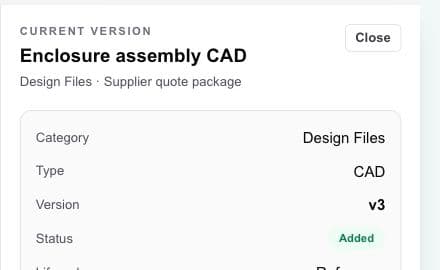
Workbench turns a folder of attachments into a readable project file library, with current-version context and links to the assembly, vendor, deliverable, or handoff using each file.
Hardware project management · design files · vendors · handoffs
The working problem
A design team can move quickly and still send the wrong file when current versions, general documents, review status, and supplier use are not visible together.
Practical file control should make the current working record clear without pretending to provide the governance depth of a formal enterprise PDM or PLM system.
Inside the workspace
Keep CAD, drawings, supplier files, quotes, and general documents in Files & Docs with useful context.
Preserve the file trail while making the current version and its status easy to identify.
Show which assembly, deliverable, or vendor handoff a file supports.
A practical flow
Bring the design files and general project documents used by the active project into Files & Docs.
Describe file type, status, project link, and intended use so the next handoff does not depend on guesswork.
Add new versions to the existing record and keep the current release context visible.
Use the current record for the next review, deliverable, assembly, or vendor exchange.
What becomes clearer
A strong fit when
Keep exploring
Bring the hardware project together
Use Workbench to find, compare, select, and coordinate vendors. You choose whom to engage and keep control of every vendor relationship.