
Solutions
Keep internal work and outside hardware partners connected in one project record.
Use Workbench to run hardware deliverables, control design files, select and manage vendors, and preserve the context across every handoff.
Hardware project management · design files · vendors · handoffs
Live Workbench product view
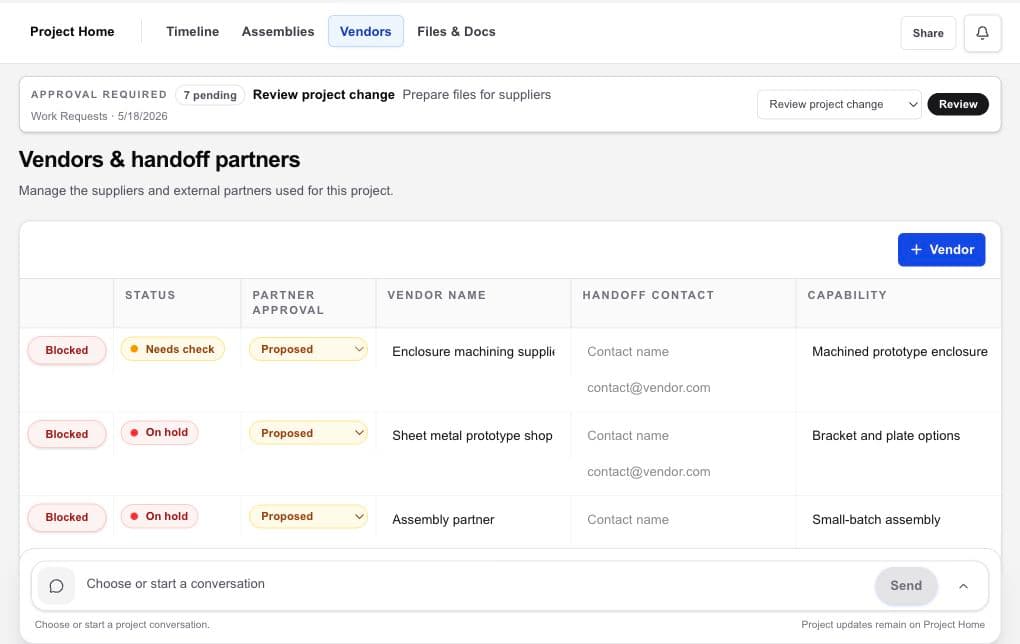
Built around real project jobs
Start with the coordination problem the team needs to solve.
These solution paths focus on today’s Workbench: hardware project management, design-file control, vendor records, supplier selection, and multi-vendor handoffs.
01For hardware teamsToday’s Individual plans give one founder or project owner a clearer record of the people, deliverables, files, assemblies, vendors, and handoffs around the work. Shared multi-person access is planned for Team plans and is not available today.02Design-file controlWorkbench turns a folder of attachments into a readable project file library, with current-version context and links to the assembly, vendor, deliverable, or handoff using each file.03Vendor managementWorkbench connects each vendor to the project capability, deliverable, files, recorded selection status, commercial context, and follow-up that explain why the relationship exists.04Supplier selectionWorkbench keeps vendor choices and team-sourced suppliers inside the same selection workflow, attached to the capability and deliverable the project needs.05Multi-vendor handoffsWorkbench gives the project owner one record for each external partner and one view of the vendor handoffs around the hardware program.
Your vendor network
Find the vendor that fits, then keep control of the relationship.
Workbench does not assign a provider. Compare vendor options, add partners you already know, and decide whom to engage. HardwareHub Consulting is one optional vendor, never an automatic next step.